How to Organize Your Marketing Content: A Simple System
Organize by stage, not by file type
Folders like "Images", "Captions" and "Videos" tell you what something is, but not whether it's ready. Organizing by stage answers the question that actually matters: what needs to happen next?
| Stage | What belongs here | Leaves when |
|---|---|---|
| Ideas | Rough topics, customer questions, inspiration | Someone commits to writing it |
| Drafts | Captions and visuals being written | The creator thinks it's ready |
| In review | Drafts waiting for feedback or approval | Approved or sent back with changes |
| Approved | Signed-off content without a date yet | It gets a publish date |
| Scheduled | Approved content with a date and channel | It goes live |
| Published | Live posts, kept for reference and results | Archived or reused |
These stages match a typical content workflow. If your team has an extra step, such as legal review, add it, but keep the list short.
Set up the system step by step
- 1
Pick one home for everything
Choose one tool or one shared sheet. The system fails the moment some drafts live elsewhere. - 2
Create the six stages
Use statuses, columns or views for Ideas, Drafts, In review, Approved, Scheduled and Published. - 3
Agree on a naming pattern
For example: "Campaign - Topic - Channel", such as "Autumn launch - Care tips - Instagram". Consistent names make search work. - 4
Add a few tags, not many
Tag by campaign, channel and content pillar. Three tag types are enough; more just won't be maintained. - 5
Give every item an owner
Each item has one person responsible for moving it to the next stage. - 6
Link assets to the post
Keep the image or video attached to the post it belongs to instead of in a separate folder. - 7
Do a weekly ten-minute tidy
Move stale drafts back to ideas, delete duplicates, and check that everything scheduled is still accurate.
Keep the ideas backlog useful
An ideas list that only grows becomes noise. Keep each idea to one line plus the reason it matters ("customers ask this every week"). Review the list monthly when you plan the next month of content, and remove ideas that no longer fit your goals.
Common organizing mistakes
- Too many stages. Eight statuses nobody updates are worse than five that are always correct.
- Approvals in email. Decisions get lost; record approval on the item itself.
- Deleting published posts from view. Your published list is your best source of ideas to reuse.
- No owner. Items without an owner sit in drafts forever.
Organization checklist
- One home for all content.
- Six clear stages, everyone uses the same names.
- Naming pattern agreed.
- Tags for campaign, channel and pillar.
- Every item has an owner.
- Weekly tidy on the calendar.
How Wemify can help
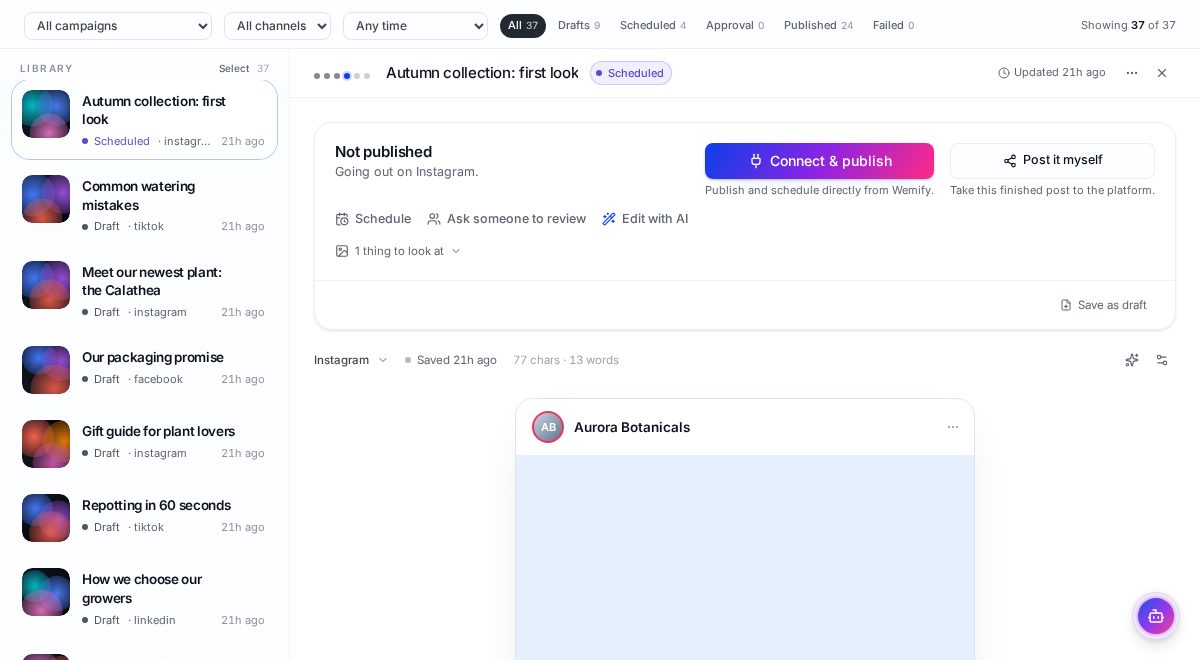
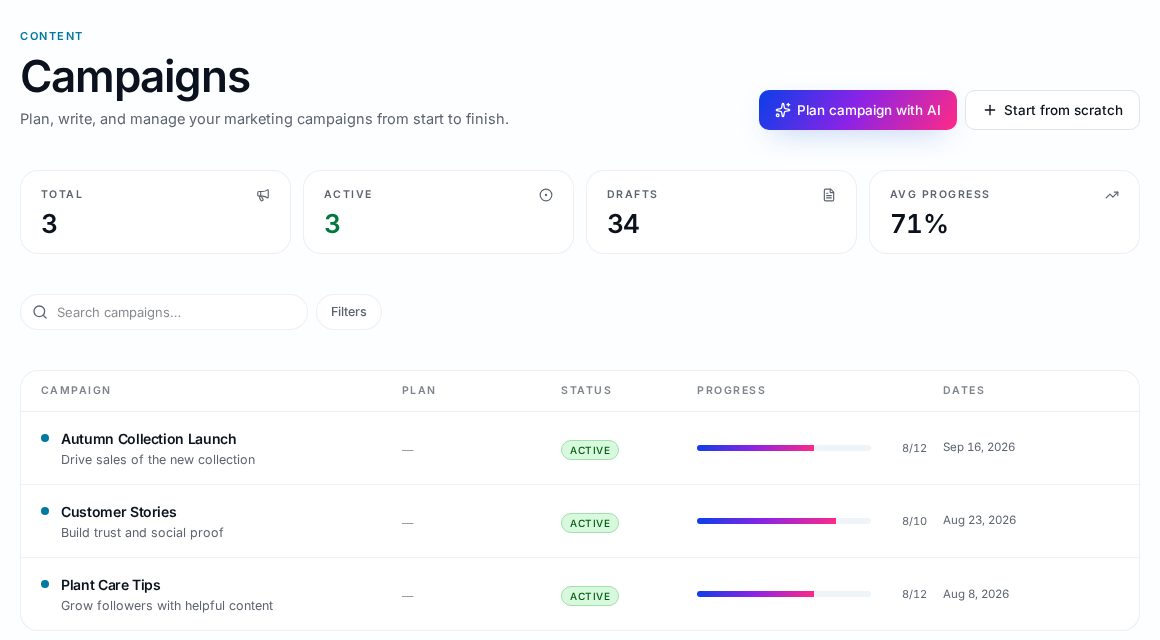
In Wemify, posts sit in one library with statuses for drafts, approval, scheduled, published and failed, and you can filter by campaign, channel and time. Campaigns group related posts, so you can see one launch's work together.
If your team is small and wears many hats, the guide on marketing workflows for small businesses covers how to divide the work.
Frequently asked questions
What is the best way to organize marketing content?
Organize it by stage (ideas, drafts, in review, approved, scheduled, published) in one shared place, with a consistent naming pattern, a few tags and an owner for every item.
Should I organize content by channel or by campaign?
Use stages as the main structure, then tag by channel and campaign so you can filter either way.
How often should I clean up my content library?
A short weekly tidy keeps it accurate: move stale drafts back to ideas, remove duplicates and check scheduled posts.
Keep every post in one place
Ideas, drafts, approvals, scheduled and published posts, organized by stage.
Continue reading
What Is a Content Workflow? The 7-Step Process
Learn the 7 steps from idea to published post, with a small-business example you can copy this week and a checklist for when software pays off.
ReadMarketing Workflow for Small Businesses
How to organize marketing without a marketing ops team: one plan, one workspace, clear owners and a weekly rhythm that survives busy weeks.
ReadHow to Plan a Month of Social Media Content
A ten-step process for planning a full month of social media posts: goals, content pillars, ideas, platforms, calendar, creation, approvals, scheduling and review.
Read