How to Manage Social Media Content for Multiple Platforms
What makes multiple platforms hard
- Different formats. Carousels, vertical video, text posts and threads each need their own version.
- Different audiences and tones. Your LinkedIn audience expects something different from your Instagram followers.
- Duplicated work. Writing every channel version from scratch multiplies effort.
- Approvals. More versions mean more to review, and it's easy to approve one version and miss another.
- Scheduling. Each platform has its own best days and rhythm.
- Tracking. Without one overview, it's hard to know what has been published, where and when.
The workflow: plan, create, adapt, review, approve, schedule, publish
The fix isn't working harder per channel. It's running every idea through the same stages, once, with channel versions branching off only where needed. The content workflow guide explains these stages in depth; below is how they apply across platforms.
- 1
Plan the idea, not the post
Start with the message and the goal. Decide which two to four channels it suits. This is where you avoid creating work that doesn't belong anywhere. - 2
Create one master version
Write the fullest version once: the key points, the visual, the call to action. This is your source of truth. - 3
Adapt it per channel
Branch off a version for each chosen channel, changing hook, length, format and call to action. Keep facts identical. - 4
Review all versions together
Check the versions side by side so tone and claims stay consistent. - 5
Approve before scheduling
Make approval a clear step with one named approver. Only approved versions move on. - 6
Schedule with a rhythm per channel
Spread versions over days and keep each channel on its own steady rhythm. - 7
Publish and record what went out
Keep one record of what was published, on which channel, and when, so you can measure it later.
Set clear rules per platform
Write a short rule sheet so anyone on the team adapts content the same way:
| Decision | Example rule |
|---|---|
| Which channels get which content | Product news: all channels. Industry opinions: LinkedIn only. Quick tips: Instagram and X. |
| Posting rhythm | Instagram 3 per week, Facebook 2, LinkedIn 1, X as relevant. |
| Tone | LinkedIn: professional, first person. Instagram: warm, short. X: direct. |
| Who approves | One approver for brand posts; product owner checks product claims. |
| Where status lives | One shared tool or sheet, never private notes. |
Common mistakes when managing several platforms
- Adding channels before the workflow can handle them. Get two channels running smoothly before adding a third.
- Tracking status in chat threads. Messages get lost; a single list with statuses doesn't.
- Approving the idea but not the versions. Each channel version needs to be checked.
- Measuring only per channel. Look at the idea across channels too, to learn which topics work everywhere.
Checklist for multi-platform content
- Every idea has a goal and a chosen set of channels.
- One master version exists before adaptations.
- Each channel version has its own hook and format.
- All versions approved by a named person.
- Schedule spreads versions across days.
- One place shows what's drafted, scheduled and published.
How Wemify can help
Wemify keeps every post and its status in one Posts library, filterable by campaign, channel, time and status (draft, scheduled, waiting for approval, published or failed). That single list answers "what's going out where?" without checking each platform.
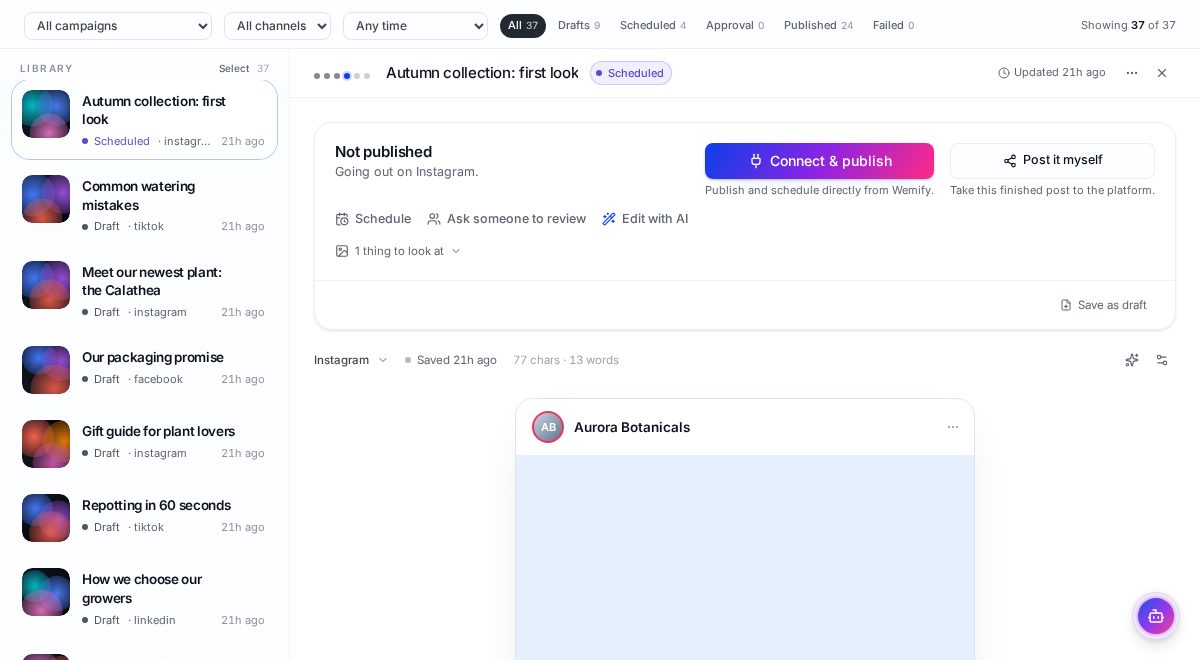
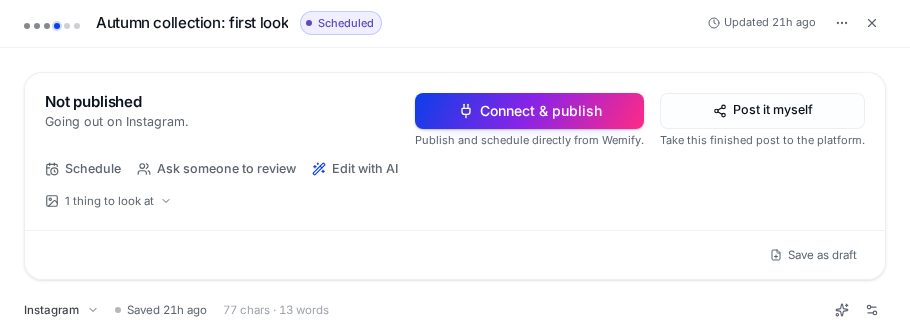
Each draft can be adapted for another channel, sent to a teammate or client for review, scheduled, or published from the same view.
For a broader look at tools in this space, see our comparison of social media management tools, or read how content workflow software connects these stages.
Frequently asked questions
How many social media platforms should a small business manage?
As many as you can run consistently. Many small teams do better with two well-run channels than five neglected ones. Add a channel once your workflow for the existing ones is steady.
Should I post the same content on every platform?
Share the same ideas, but adapt the format, length and tone for each platform. Identical posts usually perform worse and look automated.
How do I keep track of what has been published?
Keep one shared list or tool with a status for every post and channel version: draft, in review, approved, scheduled and published.
One workspace for every channel
Plan, adapt, approve and schedule posts for all your platforms from one list.
Continue reading
What Is a Content Workflow? The 7-Step Process
Learn the 7 steps from idea to published post, with a small-business example you can copy this week and a checklist for when software pays off.
ReadHow to Repurpose Content Across Social Media
A practical workflow for turning one piece of content into posts that fit LinkedIn, Instagram, Facebook and X, with examples, a checklist and common mistakes.
ReadBest Social Media Management Tools (2026)
The end-to-end suites (Hootsuite, Sprout, Buffer, Later, Planable, Metricool, Wemify) compared for teams that need to plan, publish, approve and report in one place.
Read